FAA-Certified Flight Simulator: What ‘Loggable Hours’ Really Means
March 30, 2026
Not all simulator time counts the same. Here is a plain-language breakdown of FSTD certification levels, which ratings allow you to log simulator hours, and how combining sim time with aircraft rental at Kodiak Aviation cuts your total cost.
Pilots hear the phrase ‘loggable simulator hours’ and assume it is straightforward. It is not. Whether you can log simulator time, how you can log it, and what it counts toward depends entirely on the certification level of the device and which rating or certificate you are working toward.
This matters practically because Kodiak Aviation at Falcon Field in Mesa, AZ operates an FAA-certified flight simulator at $100 per hour alongside the Cirrus SR20 G6 aircraft rental at $285 per hour. Using both intelligently can meaningfully reduce the cost of building toward an instrument rating, a commercial certificate, or IFR currency maintenance.
Here is what you actually need to know.
What Is an FSTD and Why Does Certification Matter

FSTD stands for Flight Simulation Training Device. The FAA classifies simulators into several categories, and each category has different rules about what time can be logged and what it can be applied toward.
Aviation Training Device (ATD)
A Basic ATD (BATD) or Advanced ATD (AATD) is the entry-level category. These devices are FAA-approved and can be used for logging instrument time. An AATD allows pilots to log up to 20 hours toward an instrument rating under Part 61 and up to 10 hours toward a commercial certificate.
Flight Training Device (FTD)
An FTD is a more sophisticated, enclosed simulator without full-motion capability. The FAA certifies FTDs at Levels 4 through 7, and each level unlocks additional loggable applications. Level 6 and 7 FTDs are often used for complex aircraft type-specific training.
Full Flight Simulator (FFS)
A Full Flight Simulator (FFS) is the highest certification category. These are the enclosed, motion-platform simulators used by airlines. A Level D FFS can substitute for actual instrument time hour-for-hour in most training applications. Most private or independent pilot training operations do not operate FFS devices.
What Can You Actually Log in a Certified Simulator
Under FAR Part 61, here is what the rules actually allow for pilots using an AATD, which is the most common certification level at independent FBOs:
- Instrument Rating (Part 61.65): Up to 20 of the required 50 hours of instrument time may be logged in an AATD
- Commercial Certificate (Part 61.129): Up to 10 of the required flight hours may be logged in an ATD
- Instrument Proficiency Check preparation: Simulator time logged under actual instrument procedures
- IFR Currency maintenance: Approaches, holds, and intercepts can be logged in a certified ATD to maintain 66-day currency
- Private Pilot (Part 61.109): Up to 2.5 hours may be logged in an ATD toward the 40-hour requirement
What simulator time does not directly substitute for: solo flight time, cross-country PIC time, or night flight requirements. Those require actual aircraft.
The Real Value: Cost Reduction on the Path to an Instrument Rating
Here is where the math gets interesting. An instrument rating under Part 61 requires a minimum of 50 hours of actual instrument time, 40 hours of which must be in an aircraft or AATD. Up to 20 of those hours may be logged in an AATD.
If the Kodiak simulator is an AATD-certified device, a pilot could log 20 hours in the simulator at $100/hr, replacing 20 hours that would otherwise be flown in the SR20 at $285/hr. That swap saves $3,700 on the path to an instrument rating.
From a skills standpoint, this also makes sense. Simulator time is extremely efficient for learning procedures. Flying an ILS approach profile in a simulator 15 times costs $1,500. Flying it 15 times in the aircraft costs $4,275. The skills you develop are real in both cases, but the simulator allows you to fail, repeat, and isolate specific problem areas without the weather, airspace, and cost variables of actual flight.
“The simulator is most valuable when pilots use it to get ahead of the aircraft. Work out the procedure flows on the ground, nail the scan in the sim, then take that into the SR20 when conditions are live. You log the hours in both, and you show up to the airplane ready to perform instead of spending expensive cockpit time learning basics.” — Kodiak Aviation, Falcon Field
Instrument Currency: The 66-Day Rule and Why Sim Time Helps
Instrument-rated pilots who are not flying in IMC regularly face the 66-day currency requirement. Within the preceding 66 days, you need six instrument approaches, holding procedures, and intercepting and tracking courses. If you miss that window, you are required to complete an Instrument Proficiency Check before flying IFR again.
Using a certified ATD to knock out six approaches and a hold is a legitimate, efficient way to maintain currency in a period when actual IFR flying is sparse. At $100 per hour in the simulator versus $285 in the aircraft, it is also significantly cheaper.
That said, it is worth being honest about what simulator currency is and is not. Six simulated approaches in a box keeps your ticket current. It does not replace the judgment and environmental awareness that comes from actual IMC experience. Use the simulator for currency. Use actual IFR conditions for proficiency.
A Practical Combined Training Plan
For a private pilot working toward an instrument rating with a realistic budget, a combined approach might look like this:
| Phase | Recommended Split | Estimated Cost |
| Ground / Procedure Flows | 10 hrs simulator | $1,000 |
| Instrument Scan Development | 10 hrs simulator | $1,000 |
| Actual Instrument Maneuvering | 30 hrs aircraft | $8,550 |
| Cross-Country IFR | 10 hrs aircraft | $2,850 |
| Total (50 hrs instrument time) | 20 sim + 30 aircraft | $13,400 |
Compare this to logging all 50 hours in the aircraft: 50 x $285 = $14,250. The combined approach saves approximately $850 while producing genuinely better skill development because the sim hours are used for high-repetition procedure work.
How to Confirm What a Simulator Can Be Used For
Before logging any simulator time, confirm with the operator exactly what FAA certification level the device holds and what the letter of authorization says it may be used for. This is not bureaucratic caution. It is practical. Some FBOs operate non-certified simulators that can be used for practice but not for logging official training hours. Logging hours in an uncertified device and presenting them on an application or to an examiner is a paperwork problem you do not want.
Kodiak Aviation can provide documentation on the certification status of their simulator. Ask before you book.
Book Simulator Time at Kodiak Aviation
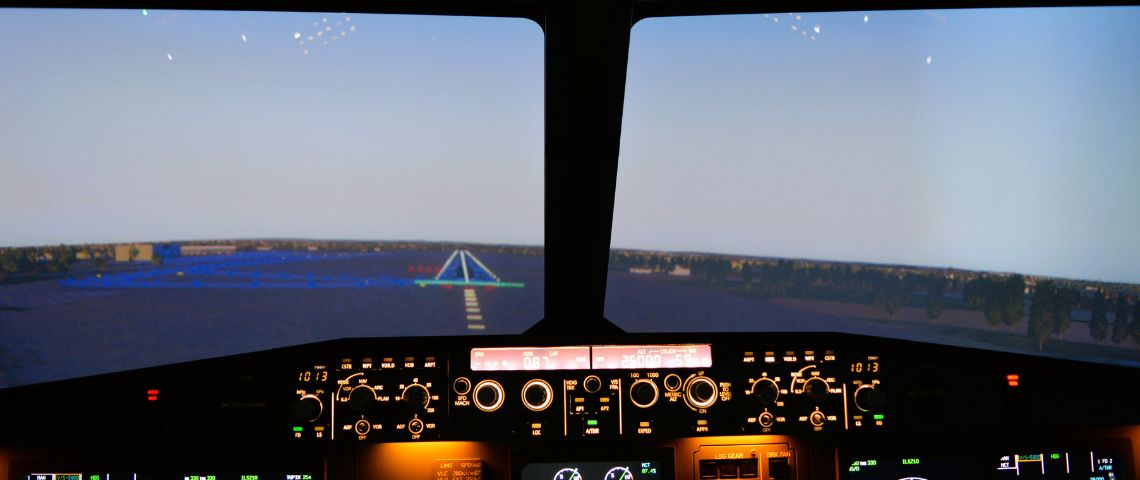
Simulator rental at Kodiak Aviation is available at $100/hr. Aircraft rental in the SR20 G6 (N701YZ) is available at $285/hr wet. Hour-building packages available in 15 and 30-hour blocks.
Schedule Simulator or Aircraft Time | kodiakaviation.com | Falcon Field Airport (KFFZ), Mesa AZ
Aircraft Rental at Falcon Field: Everything You Need to Know About KFFZ
READ STORY